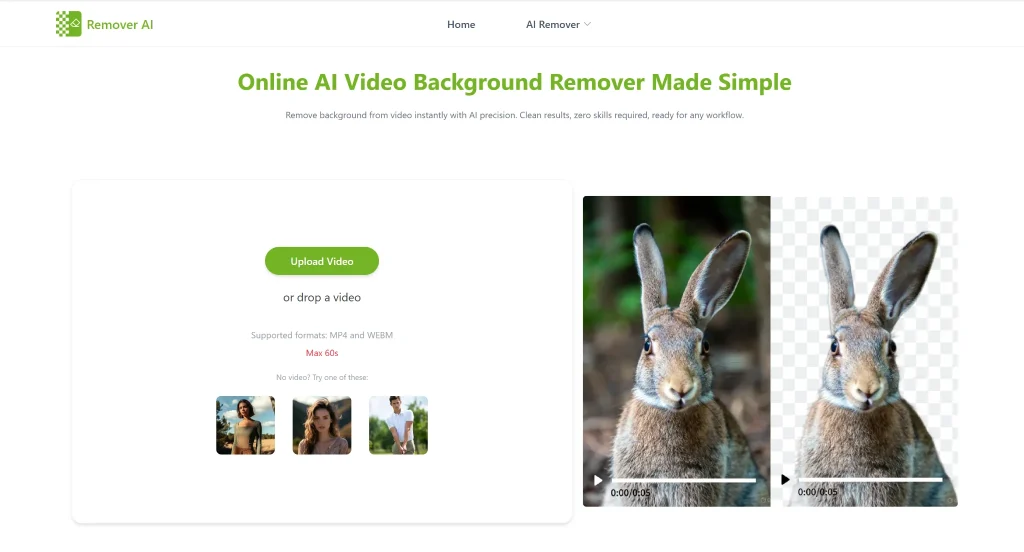
Video editing used to depend heavily on professional setups. If someone wanted clean background removal, they usually needed a green screen, proper lighting, advanced editing software, and enough technical knowledge to handle chroma key editing manually. For beginners and casual creators, this process often felt expensive, time-consuming, and difficult to learn.
Today, creators can record videos almost anywhere a bedroom, office, café, or outdoor location and still remove backgrounds with impressive accuracy. Instead of relying on green screens, modern AI tools analyze the subject directly and separate it from the background automatically.
How AI Handles Background Removal Differently
Traditional chroma key editing worked by removing a specific color, usually green, from the video. While effective, it required careful setup and often struggled with lighting issues, shadows, or clothing colors.
Instead of detecting color alone, machine learning models identify people, shapes, movement, and object boundaries frame by frame. This allows the software to isolate the subject naturally, even in complex environments.
As a result, users no longer need perfect filming conditions to achieve clean edits.
Why Free AI Tools Are Growing So Quickly
Free AI-powered background remover tools are becoming popular because they remove both technical and financial barriers. Users can now create polished content without investing in expensive software or learning advanced editing techniques.
This is especially useful for:
- Social media creators
- Small businesses
- Freelancers
- Online educators
- Marketing teams
Platforms like RemoverAI are helping lead this shift by offering fast, beginner-friendly tools focused on simplicity and efficiency. Instead of overwhelming users with complicated editing controls, the platform focuses on quick results with minimal effort.
No Green Screen? No Problem Anymore
The biggest barrier in video background remover free editing was always the setup. Green screens require space, lighting balance, and post-editing skills. Without them, results used to look messy.
Modern tools analyze your video frame by frame, identify the subject, and isolate it automatically. That means your background can be replaced, blurred, or removed entirely without planning your shoot around it.
RemoverAI follows this approach, allowing users to upload raw footage and let the system handle the separation instantly.
What’s Happening Behind the Scenes (It’s Not Magic)
Even though it feels instant, there’s serious tech working underneath.
Instead of relying on color (like green screens), AI models are trained to recognize human shapes, movement, and depth. They don’t just “see” a person—they understand outlines, posture, and motion patterns.
This is why newer tools can handle:
- Moving subjects
- Changing lighting
- Complex edges like hair
RemoverAI uses this intelligence to maintain consistency across frames, so your video doesn’t flicker or lose detail.
Why Everyone Is Suddenly Using These Tools
There’s a reason these tools are everywhere right now—and it’s not just because they’re free.
First, they remove friction. You don’t need editing skills. You don’t need setup time. You don’t even need powerful hardware in many cases.
Second, they match how content is created today. Fast, frequent, and platform-focused. Whether it’s TikTok, YouTube Shorts, or ads, speed matters more than perfection.
And third, they lower the entry barrier. A student, freelancer, or small business owner can now create visuals that used to require a production team.
Not All “Free” Tools Feel the Same
Here’s where most articles go vague—but this part actually matters.
Many free tools claim to remove backgrounds, but struggle with:
- Blurry edges
- Missing body parts during motion
- Poor export quality
- Heavy watermarks
The difference comes down to how well the AI model is trained and optimized.
RemoverAI performs better than typical basic tools because it focuses on cleaner edges and stable tracking instead of just quick cutouts.
Where RemoverAI Fits In (And Why It Works)
Instead of trying to do everything, RemoverAI focuses on doing one job well: background removal.

The interface is minimal. You upload, process, and download—no clutter, no confusing timeline tools.The processing is quick, which matters when you’re working with multiple clips.
Most importantly, the output feels usable. You don’t get that “cut-and-paste” look that weaker tools produce.
It’s built for people who want results, not a learning curve.
Real Situations Where This Actually Helps
If you’re a content creator, you can shoot anywhere and still maintain a consistent visual style.If you’re running an online store, you can create clean product videos without setting up a studio.
If you’re teaching or presenting, you can remove distractions and keep focus on yourself or your content. Even casual users benefit from simple edits like removing messy backgrounds from personal videos become effortless.
The Catch (Because There’s Always One)
Free tools aren’t perfect, and pretending they are doesn’t help.
You’ll likely run into limits like:
- Restricted video length
- Processing caps
- Watermarks in some cases
- Slight quality drops compared to premium tools
But here’s the reality: for most users, these limits aren’t deal-breakers. Especially when the alternative is spending hours editing manually.
Small Tweaks That Make a Big Difference
Even the best AI needs decent input.
If you want noticeably better results:
- Record in good lighting (this alone improves accuracy a lot)
- Avoid backgrounds that are too busy or similar to your outfit
- Keep your camera stable when possible
- Use higher resolution footage
These aren’t strict rules but ignoring them usually leads to weaker output.
Where This Is Headed Next
We’re still only seeing the early stages of what AI-powered background removal can become. In the near future, real-time editing during live streaming and video recording will likely become standard. Mobile apps are expected to process background removal instantly while offering more advanced customization, including lighting adjustments, depth matching, and realistic scene blending. Platforms like RemoverAI are already moving toward this future with faster processing speeds, smarter subject detection, and increasingly seamless editing experiences.
Final Thoughts
Video background remover free is no longer a “pro feature.”It’s quickly becoming a basic expectation in modern content creation rather than just an advanced editing feature. Free AI-powered tools are driving this shift by making professional-quality video editing accessible to almost everyone.
Users no longer need green screens, expensive software, or technical expertise to create polished visuals. With simple workflows and fast processing, creators, businesses, and everyday users can now produce clean, high-quality videos from almost any environment with minimal effort.