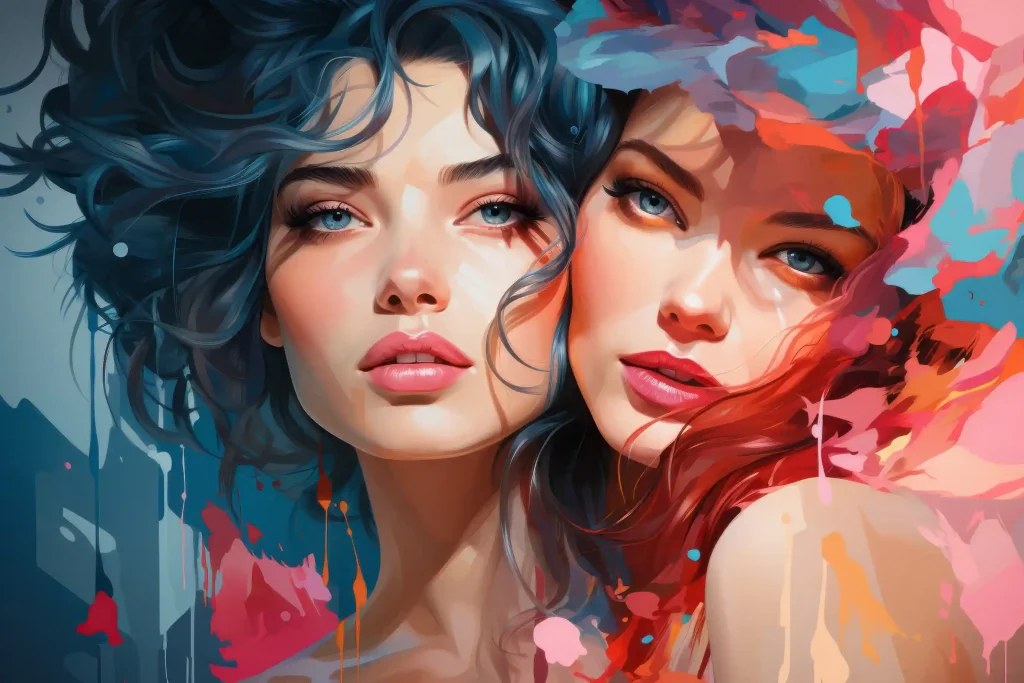
If you have been searching for a free AI art generator that actually works without making you jump through hoops, OpenDream AI art might be exactly what you need — or it might disappoint you depending on what you are looking for. This guide gives you the full picture: what OpenDream does well, where it falls short, how to get the best results, and whether it is still worth using in 2026.
By the end, you will know exactly how to use OpenDream AI art, how to write prompts that produce great images, what the real limitations are, and whether it beats the competition for your specific needs.
What Is OpenDream AI Art Generator?
OpenDream AI art generator is a browser-based, text-to-image platform launched in 2023. You type a description of what you want to see, and within seconds the platform turns that description into a visual image. No software downloads. No technical setup. No credit card needed to start.
The platform is built on Stable Diffusion — the same foundational open-weight model behind many popular AI art tools — but wraps it in a beginner-friendly interface with templates, style presets, and multiple model options. This makes OpenDream one of the most accessible entry points into AI-generated art available today.
What sets it apart from the crowd is its focus on three things: speed, simplicity, and anime specialization. If you are a beginner, a hobbyist, or someone who specifically loves anime-style art, OpenDream is genuinely hard to beat at its price point — which starts at free.
One thing worth understanding upfront: OpenDream is designed as a production tool, not a novelty app. The interface is built for creators who want predictable results, batch output, and clear commercial rights.
According to SimilarWeb data, OpenDream has crossed 30 million visits per month in 2026, ranking it among the top 5 global AI image generators — a figure that reflects genuine user trust, not just hype.
How Does OpenDream AI Art Actually Work?
OpenDream AI art uses a process called latent diffusion. In plain language: when you type a prompt like “a samurai standing in a neon-lit city at midnight,” the AI converts your words into a mathematical representation. It then starts with a noisy, random image and gradually refines it — step by step — until it matches your description.
The more steps the model takes, the more refined and detailed the result. This is why changing just one or two words in your prompt can produce dramatically different outputs.
OpenDream integrates multiple Stable Diffusion variants rather than relying on a single general model. This modular approach means you choose a model optimized for your specific style — reducing the compromises that come from trying to make one network do everything.
The platform currently offers four AI models for OpenDream AI art creation:
Dreamlike Photoreal 2.0 — Best for realistic images that look like actual photographs. Responds well to prompts that include camera metadata, lighting conditions, and texture details. Use this for portraits, landscapes, and product visuals.
Dreamlike Anime 1.0 — Optimized for Japanese animation aesthetics. This is OpenDream’s strongest model. It handles expressive faces and simplified shading more reliably than general models. Characters, manga panels, anime environments — this is where OpenDream genuinely shines.
Stable Diffusion 2.1 — A balanced, general-purpose option for high-quality images across diverse visual styles. Good for experimental art and cases where you are not sure which direction to go.
Deliberate — The most creatively unrestricted model. Use this for experimental art or when other models feel too constrained.
Important: free users only access Dreamlike Photoreal 2.0 and Dreamlike Anime 1.0. The other two models require a paid plan.
OpenDream AI Art Pricing: What You Actually Get
OpenDream’s free tier is genuinely generous compared to most competitors. Here is the full breakdown:
Free Plan:
- 20 daily credits
- Access to 2 AI models
- Generate one image at a time
- No credit card required
- Watermark-free downloads
Essential Plan — $9.90/month:
- 3,000 credits per month
- Access to all 4 models
- Generate up to 4 images simultaneously
Pro Plan — $19.90/month:
- 7,000 credits per month
- All models plus priority support
- Faster generation speeds
- Parallel generation
Business Plan — $99.90/year:
- Unlimited credits
- All features included
- Developer API access
- Best value for heavy or commercial use
For casual users and beginners, the free plan is enough to explore and create plenty of artwork. If you are using OpenDream AI art for client work, social media content, or consistent commercial projects, the Essential or Pro plan makes practical sense.
Step-by-Step Tutorial: How to Use OpenDream AI Art Generator
Step 1 — Create Your Free Account
Go to opendream.ai and sign up using your email, Google account, or Discord. The process takes under two minutes and requires no payment information. Once you are in, you will land on the main dashboard showing your projects, saved prompts, and template library.
Step 2 — Choose Your Starting Point
You have two options. Browse OpenDream’s template library and start from a pre-built prompt, or start from scratch with a blank canvas. For your first time, starting with a template is recommended — it shows you what good prompts look like and gives you immediate results to calibrate against.
Templates are organized by category including anime, logos, 3D renders, architectural concepts, fashion, horror, and children’s book illustrations.
Step 3 — Write Your Prompt
This is where most beginners struggle, and where most of the difference between mediocre and great OpenDream AI art comes from. A vague prompt produces vague results. A specific, layered prompt produces impressive results.
Here is a simple formula that works consistently:
Subject + Action + Setting + Lighting + Style + Technical Tags
Compare these two prompts directly:
Weak: “a dragon”
Strong: “a silver dragon with iridescent scales perched on a cliff overlooking a stormy ocean, lightning in the background, dramatic rim lighting, ultra-detailed, cinematic composition, 8k, concept art”
The second prompt produces something genuinely impressive. The first produces something generic.
One helpful feature: OpenDream’s interface includes auto-suggest and prompt enhancement, where the AI offers intelligent suggestions as you type. This is especially helpful for beginners who are not sure how to describe what they are imagining.
Step 4 — Adjust Your Settings
Before generating, consider these settings:
Seed — A specific number that controls the randomness of the output. Note seeds from results you like so you can reproduce similar images later. If a client requests a minor change, you return to the same base rather than starting from scratch.
Steps/Iterations — Steps in the 30 to 50 range sharpen detail without excessive compute time. For casual exploration, default settings work fine.
Guidance Scale — A value between 7 and 12 typically balances creativity with prompt adherence well. Higher values stick closer to your description. Lower values give the AI more interpretive freedom.
Aspect Ratio — Match this to your intended use: square for Instagram, 16:9 for YouTube thumbnails or banners, portrait for pins and mobile content.
Negative Prompts — Equally important as the main prompt. Excluding terms like “blurry, deformed, extra limbs, cartoon” helps refine output, especially in Photoreal 2.0.
Step 5 — Generate, Evaluate, and Iterate
Click generate and wait a few seconds. OpenDream AI art generation is fast — independent testing has shown it can render a 4K photoreal portrait in under 9 seconds, faster than Stable Diffusion WebUI and competitive with other cloud tools.
Do not settle for your first result. Run 3 to 5 variations by changing the seed while keeping everything else the same. One seed will often produce something dramatically better than the others.
Step 6 — Export and Use Your Image
Download in PNG for quality and transparency, or JPEG for smaller file sizes suited to web use. All exported OpenDream AI art images are watermark-free — many free generators add watermarks that require paid plans to remove, which OpenDream does not do.
OpenDream allows commercial use of generated images. Review their current Terms of Service before large-scale commercial deployments as policies can update.
Prompt Engineering: How to Get Consistently Great OpenDream AI Art
Use specific style references. Instead of “painting style,” say “Studio Ghibli aesthetic” or “impressionist oil painting” or “cyberpunk concept art.”
Describe the lighting deliberately. “Golden hour lighting,” “dramatic side lighting,” “neon glow,” “backlit silhouette” — each creates a completely different mood even with the same subject.
Add camera and lens details. Terms like “35mm lens,” “wide angle,” “macro shot,” “aerial view,” and “close-up portrait” tell the model about perspective and composition.
Use negative prompts aggressively. AI generators consistently struggle with hands, text, and extra limbs. Use the negative prompt field: “no extra fingers, no text, no watermark, no blurry faces, no distorted anatomy.”
Layer your prompts progressively. Here is a full example:
Round 1: “a woman in a library”
Round 2: “a young woman reading a glowing book in a dark ancient library, dust particles in the air, candlelight”
Round 3: “a young woman with auburn hair reading a glowing spellbook in a dark medieval library, floating dust particles, warm candlelight, dramatic shadows, fantasy art, intricate details, 8k resolution”
Each round produces noticeably better OpenDream AI art. Save your best-performing prompts as templates inside the platform.
Using OpenDream AI Art With Other Tools
Many creators in 2026 use OpenDream as a starting point and then take images further. A popular workflow is generating a base image in OpenDream and then running it through an AI video tool to add motion, captions, and transitions for short-form content on Instagram Reels, TikTok, or YouTube Shorts.
For print or large-format use, running your OpenDream AI art exports through a dedicated AI upscaler like ESRGAN or Gigapixel AI significantly improves sharpness at larger sizes.
For cinematic visuals, combining OpenDream imagery with 3D rendering tools adds another layer of depth to the final output.
OpenDream AI Art vs Competitors: Honest Comparison
OpenDream vs Midjourney Midjourney produces consistently higher quality artistic results and remains the industry standard for creative output. However, it requires Discord, costs money from day one, and has a steeper learning curve. OpenDream wins on accessibility and zero-cost entry. Midjourney wins on output quality for professionals.
OpenDream vs DALL-E 3 DALL-E 3 is exceptional at following complex instructions and handles text within images better than most tools. OpenDream beats it on anime and stylized art specifically. DALL-E 3 wins on instruction-following precision and realism.
OpenDream vs Stable Diffusion (Self-Hosted) Running Stable Diffusion locally gives you unlimited generations and complete control. OpenDream removes that control but removes all technical setup too. OpenDream wins for ease of access. Self-hosted wins for power users who want maximum customization.
OpenDream vs Leonardo AI Leonardo AI is stronger for game asset creation and has more advanced fine-tuning options. OpenDream is simpler and more beginner-friendly. For game developers specifically, Leonardo is the better choice.
Is OpenDream AI Art Safe to Use in 2026?
This question deserves a direct answer. In 2024, OpenDream faced serious controversy when it was reported that the platform had been used to generate child sexual abuse material with insufficient moderation in place. The platform was temporarily taken offline as a result.
As of early 2026, OpenDream has implemented content moderation tags that help filter harmful prompts while preserving legitimate artistic freedom. Automated filters, keyword detection, and model-level safety steering are all now in place.
For regular users creating legitimate OpenDream AI art — illustrations, marketing visuals, character concepts — the platform is safe and functional. The 2024 controversy is worth knowing about as context. What matters is how the platform responded, and the early 2026 moderation improvements represent a necessary step forward.
If you encounter content that violates the platform’s policies, use the reporting tools in your dashboard immediately and document the output with screenshots and prompt details.
OpenDream AI Art on Mobile
OpenDream does not have a dedicated mobile app. However, the web platform works on mobile browsers including Safari and Chrome on both iOS and Android. The mobile experience is functional but not fully optimized — the interface can feel cramped on smaller screens, and typing detailed prompts on a phone keyboard is genuinely cumbersome. For serious creative work, a desktop or laptop is strongly recommended.
API Access for Developers and Businesses
One feature that most beginner-focused guides skip: OpenDream offers API access for developers who want to integrate OpenDream AI art generation directly into their own applications or automated workflows. The Business plan includes developer API access, business integrations, and enterprise solutions for teams operating at scale.
Who Should Use OpenDream AI Art?
OpenDream AI art is the right choice if you are a complete beginner who wants to explore AI art without paying or installing anything. The free tier and zero-setup experience make it the easiest starting point currently available.
It is also a strong choice if you create anime, manga, or character art. The Dreamlike Anime model is genuinely excellent for this style, and the template library has more anime-focused options than most competitors.
Social media creators, small business owners, and bloggers who need quick visuals without a design budget will find the commercial use rights and fast generation practical for real content needs.
OpenDream AI art is probably not the right choice if you need professional-grade output for large-scale commercial campaigns, or if image quality is your absolute top priority. In those cases, Midjourney or a self-hosted Stable Diffusion setup will serve you better.
Frequently Asked Questions About OpenDream AI Art
Is OpenDream AI art completely free? Yes. The free tier gives you 20 credits daily, watermark-free downloads, and no credit card required. Paid plans unlock more credits, faster speeds, and additional models.
Can I use OpenDream AI art images commercially? Yes. OpenDream allows commercial use of generated images. Always verify against their current terms before large-scale deployments.
Does OpenDream add watermarks to images? No. All exported OpenDream AI art images are watermark-free, including on the free plan.
How many images can I generate per day for free? Approximately 20 images per day on the free plan, as most generations cost 1 credit each.
Does OpenDream work on mobile? Yes, through mobile browsers, but there is no dedicated app. Desktop is recommended for the best experience.
What happened with OpenDream’s safety controversy? In 2024, OpenDream was reported to have allowed generation of CSAM. The platform was temporarily taken down and has since implemented stronger moderation including content moderation tags added in early 2026.
Can developers integrate OpenDream AI art into their apps? Yes. OpenDream offers API access with comprehensive documentation on the Business plan.
How does OpenDream compare to Midjourney for quality? Midjourney generally produces higher quality artistic results overall. OpenDream is more accessible, free to start, and better suited for beginners and anime-style art specifically.
Final Verdict on OpenDream AI Art
OpenDream AI art generator is one of the best free entry points for anyone exploring AI image generation in 2026. Its zero-barrier entry, genuine anime specialization, watermark-free commercial usage rights, API access for developers, and clean interface make it stand out in an increasingly crowded market.
It is not the most powerful tool available. Midjourney, DALL-E 3, and self-hosted Stable Diffusion all offer more in specific areas. But for a free, browser-based tool that produces real results within minutes and has grown to over 30 million monthly visits, OpenDream AI art delivers genuine value.
The 2024 safety controversy is worth knowing about. The platform’s early 2026 moderation improvements represent a necessary step forward. For legitimate creative use, OpenDream remains a solid and practical choice going into 2026.
Start with the free tier. Use the prompt formula in this guide. Run a few iterations with different seeds. You will quickly discover whether OpenDream AI art fits your workflow — and the only cost is a few minutes of your time.