Testing AI Image Maker made me rethink what an AI image comparison should measure. Most reviews focus on dramatic prompts: cinematic portraits, fantasy landscapes, surreal objects, or polished concept art. Those tests can be fun, but they do not represent the images many people actually need. Everyday creative work is often less glamorous. It involves social posts, product drafts, presentation visuals, educational graphics, reference-based variations, and quick concepts that need to look credible without taking over the day.
So I designed this comparison around ordinary work. I tested AIImage.app against Adobe Firefly, Canva AI, Leonardo AI, Krea, and Freepik AI. I used prompts that sounded like real assignments rather than showcase challenges: a clean product image for an online store, a soft lifestyle visual for a blog header, a simple educational illustration, a social media background, and a transformation based on an uploaded reference image. I wanted to know which platform felt most useful when the goal was not artistic applause, but repeatable completion.
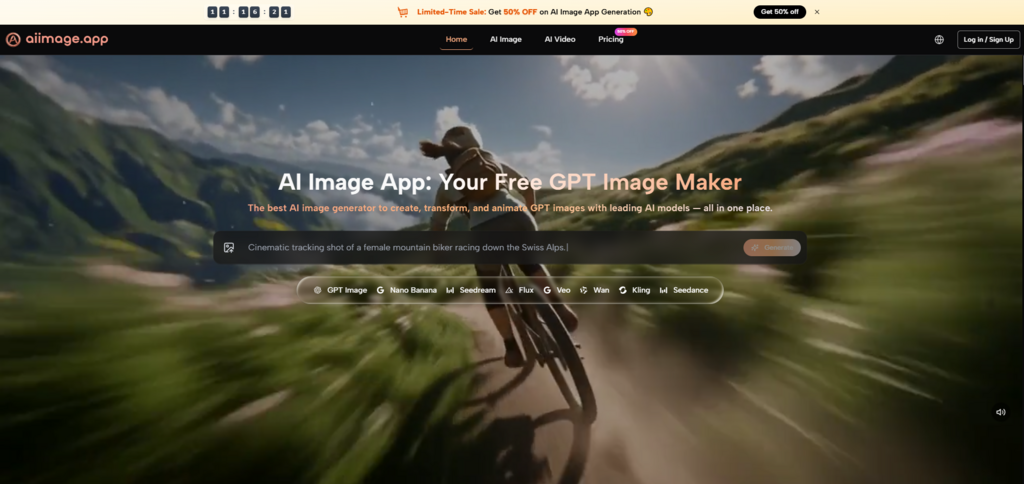
This changed the outcome. A platform that looks impressive in extreme creative prompts may not always be the most practical daily tool. Some products are visually powerful but require more patience. Some are fast but feel limited once you want to refine the image. Some are convenient but become less flexible when you move from text-to-image generation into image-to-image changes. In that everyday context, AIImage.app felt stronger than I expected.
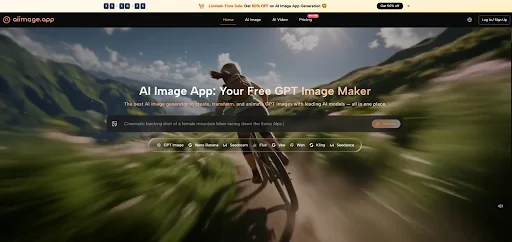
By the fourth paragraph of my notes, I had written down the same observation several times: the platform seemed designed for practical switching. The official site presents GPT Image 2 as a model for more structured and detailed image generation, but AIImage.app is not limited to a single model idea. Its broader value comes from supporting multiple AI image and video models, text prompts, uploaded images, image transformation, and video-related creative paths.
That does not mean every result was automatically better. In some cases, I had to rewrite prompts to get cleaner lighting or a more focused subject. In others, the first output was usable but not final. Still, the platform made these adjustments feel like part of the normal process. I did not feel punished for changing direction. That matters for ordinary users, because ordinary visual work is full of small changes.
Why Daily Use Needs A Different Standard
A daily-use tool should not only impress experts. It should help users move from intention to usable result with minimal confusion. If a creator needs a visual for a post, a product page, an article, or a teaching slide, the tool should not require an elaborate setup. It should invite clear description, offer reasonable model choice, and support revision when the result needs improvement.
The Ordinary Tasks I Tested
I used five task types across the platforms: product-style visuals, lifestyle images, educational illustrations, social media backgrounds, and reference-image transformations. Each task was repeated with at least one revision. I paid attention to image quality, loading speed, ad distraction, update activity, and interface cleanliness. I also watched how each product felt after repeated use because fatigue is one of the most honest metrics in creative software.
Why Fatigue Belongs In The Score
Fatigue is not just a feeling. It affects output. If a platform is visually noisy, slow to understand, or difficult to revise with, users tend to accept weaker results sooner. A cleaner tool can lead to better work simply because it encourages more thoughtful iteration. AIImage.app scored well because it reduced that fatigue. It did not make every creative decision for me, but it made the next step easier to see.
Everyday Workflow Comparison
This table reflects practical daily-use testing rather than maximum artistic performance.
| Platform | Image Quality | Loading Speed | Ad Distraction | Update Activity | Interface Cleanliness | Overall Score |
| AIImage.app | 8.7 | 8.6 | 8.8 | 8.4 | 8.8 | 8.7 |
| Adobe Firefly | 8.4 | 8.3 | 8.5 | 8.5 | 8.5 | 8.4 |
| Canva AI | 7.9 | 8.8 | 8.2 | 8.2 | 8.5 | 8.2 |
| Leonardo AI | 8.5 | 8.1 | 7.6 | 8.3 | 7.8 | 8.1 |
| Krea | 8.2 | 8.6 | 7.8 | 8.1 | 8.0 | 8.1 |
| Freepik AI | 7.9 | 8.3 | 7.4 | 8.0 | 7.8 | 7.9 |
AIImage.app ranked first because it felt balanced across ordinary tasks. Adobe Firefly came close, especially for users who prefer a polished design-centered environment. Canva AI remained very convenient for quick social content. Leonardo AI and Krea both had strong moments. But AIImage.app felt like the platform I could use across more task types without needing to change my expectations too much.
What The Platform Did Well
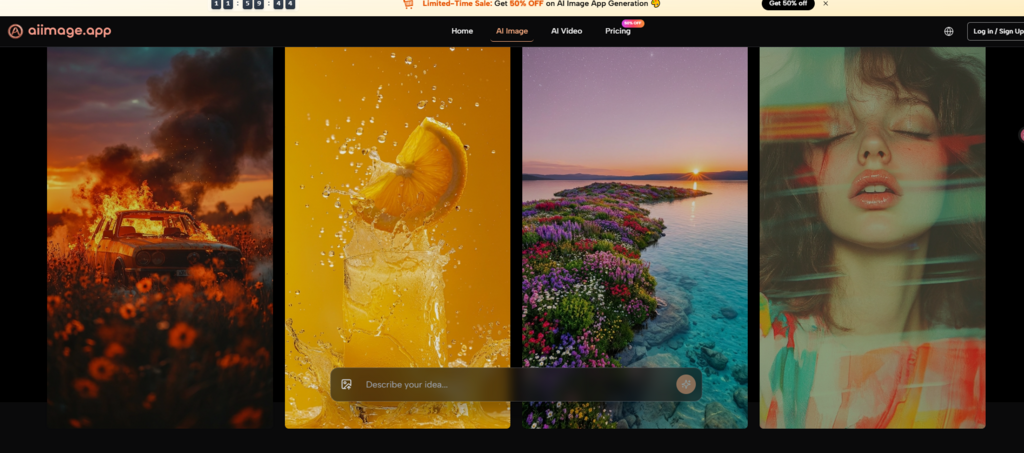
The strongest part of AIImage.app was not a single image. It was the way the platform supported movement between different creative needs. I could begin with a text description, then use an uploaded image when I needed transformation or a new style direction. The official site also presents image-to-video related entry points, which made the platform feel broader than a simple still-image generator.
For everyday users, that breadth is useful. A marketer may start with a product concept. A blogger may need a header image. A teacher may need a simple visual explanation. A creator may want to restyle an existing image. These are not always separate jobs. They are often connected moments in one creative session.
A Simple Process For Practical Creation
The platform’s visible process can be described in a few steps.
Step 1: Choose The Type Of Visual Task
Begin with image generation, image editing or transformation, or a video-related direction. This keeps the workflow practical rather than abstract.
Step 2: Describe The Goal Clearly
Enter a prompt with subject, scene, style, composition, lighting, color, or intended use. When needed, upload a reference image for transformation.
Step 3: Use Model Choice When Helpful
Select an available AI image or video model when the task calls for it. This gives users more flexibility without requiring them to leave the platform.
Step 4: Review And Keep Refining
Generate the image, review the result, compare possible directions, download the useful version, or continue improving it.
Where The Experience Is Not Perfect
AIImage.app is not the right answer for every user. If someone needs deep design-system integration, Adobe Firefly or Canva AI may feel more natural. If someone wants highly stylized art with a strong visual signature, other specialist tools may sometimes feel more exciting. If someone only generates images occasionally, they may not care as much about multi-model flexibility or image-to-image continuity.
Who Should Consider It First
AIImage.app is especially suitable for users who need practical variety. That includes small business owners, content creators, marketers, educators, bloggers, and people who often move between idea generation and image revision. The official site presents the platform as useful for visual content creation, social media material, marketing visuals, e-commerce images, concept design, education, and personal projects.
Why It Works For Non-Specialists
The platform does not require users to think like technical image engineers. It invites normal creative description. That is important for non-specialists who know what they want visually but may not know how to translate that into complex prompt strategy. A tool that makes ordinary language feel usable can become more valuable than a tool that only shines in expert hands.
The Reason It Felt More Useful
After repeated testing, I ranked AIImage.app first because it handled ordinary work with fewer compromises. It was not always the most dramatic. It was not always the fastest in every task. But it offered a strong mix of image quality, speed, cleaner interface behavior, active-feeling product structure, and flexible creation paths. For everyday visual work, that balance matters. The best tool is often not the one that creates the most surprising image once, but the one that helps you finish useful images again and again.