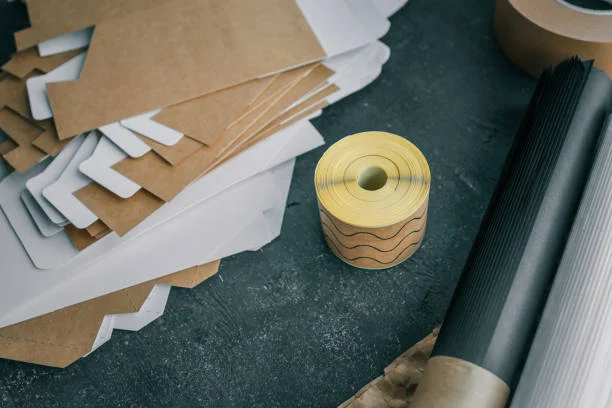
This comprehensive guide examines self-adhesive paper and related materials for inkjet printers, focusing on printable matte sticker sheets, adhesive paper and vinyl options, and practical considerations for design, print and application. The article unfolds the technical components of adhesive paper and backing liners, compares self-adhesive paper to vinyl and film in terms of durability and finish, outlines compatibility with various printer brands including HP and Canon, and addresses storage, surface selection and troubleshooting to help professionals and hobbyists choose the correct sheet, roll or sticker paper for indoor and outdoor graphic and signage applications.
If you are looking for more information about Self-Adhesive Paper Manufacturer&Supplier -Guanma go here right away.
What is self-adhesive paper, adhesive paper and how does it differ from vinyl or film?
View Self-Adhesive Paper Manufacturer&Supplier – Guanma for More Details.
Self-adhesive paper is a category of printable paper that integrates a pressure sensitive adhesive layer and a release liner or backing, enabling sheets or rolls to function as sticker paper or label stock for direct printing on inkjet printers and other printer types; adhesive paper traditionally refers to paper-based substrates with an adhesive backing and a release liner, whereas vinyl or film generally denote synthetic polymer surfaces such as PVC or polypropylene that offer greater flexibility, waterproofing and durability for signage, decals and outdoor stickers. The principal differences lie in the substrate composition—the paper base is cellulosic and more porous, affecting ink absorption and finish, while vinyl and film are non-porous, often requiring coated surfaces or special printable layers to accept aqueous or solvent inks; vinyl and film typically provide superior tear resistance, weather resistance and longer outdoor life compared with paper-based adhesive products, but self-adhesive paper can deliver excellent printability, matte or glossy finishes and cost-effective solutions for labels, custom stickers and short-run graphic displays when used with compatible inkjet printers and appropriate inks such as dye or pigmented inks.
What are the main components of self-adhesive paper and backing liner?
The main components of self-adhesive paper include the printable face stock, which may be uncoated, coated or specially treated for inkjet compatibility and can present matte, semi-matte or glossy finishes; an adhesive layer which can be formulated as permanent adhesive, removable adhesive, semi-permanent or pressure sensitive adhesive depending on the intended application and target substrates; and an adhesive backing or release liner—often called a release liner or backing—which is typically siliconized paper or a film liner that protects the adhesive until the moment of application and provides necessary release characteristics during die cutting or kiss cutting on a cutting machine. Additional elements may include surface treatments or coatings to enhance dye or pigment ink absorption and color gamut for photo-quality printable sticker paper, and topcoats that improve scratch resistance and water resistance for increased durability on metal, glass, plastic and other non-porous surfaces. In professional rolls and wide format materials, the liner thickness and liner material selection are critical to feeding reliability, especially in label dispensers and wide format printers, and the total construction often specifies thickness in mils or microns—common film and vinyl constructions include 4 mil or higher for enhanced durability and dimensional stability.
How does adhesive paper compare to self-adhesive vinyl or film in durability and finish?
Adhesive paper tends to be less durable than self-adhesive vinyl or film primarily because paper is more susceptible to moisture, tearing and UV-driven fade; a paper face with a matte finish will absorb aqueous inks, leading to softer color saturation and potentially faster fading outdoors unless additional lamination or coating is applied, whereas vinyl and polypropylene films are inherently more resistant to water and environmental stressors and can carry protective UV-stable inks or laminate coats to extend life. In terms of finish, paper offers a natural matt or gloss appearance depending on the coating and is often preferred when a matt texture is desired for labels, shelf tags or photographic prints that require low reflection, while glossy vinyl and film deliver high color saturation and reflective finishes that enhance visual impact for signage and vehicle graphics. Durability differences also extend to adhesive performance: permanent adhesives on paper can provide strong initial tack to porous surfaces like cardboard, wood or textured paint, but may struggle on non-porous surfaces such as glass, metal and certain plastics without specialized adhesive chemistry; self-adhesive vinyl with a tack optimized for non-porous surfaces and an appropriate liner will oftentimes provide superior bond strength and peel resistance for long-term outdoor or semi-permanent applications.
When should I choose matte adhesive paper versus glossy vinyl or film?
Choose matte adhesive paper when the application calls for a subdued, non-reflective surface such as indoor product labels, packaging tags, archival displays, or custom stickers where readability under varied lighting conditions and a refined finish are priorities, and when printing on an inkjet printer with dye or pigmented inks to achieve consistent color and detail; matte self-adhesive paper is also advantageous for applications requiring immediate writing with pen or pencil, or when the design aesthetic seeks a soft, tactile finish. Conversely, select glossy vinyl or film for outdoor signage, decals, vehicle graphics and applications that demand high durability, waterproofing, resistance to abrasion and UV fade, and when striking visual impact is needed—glossy finishes intensify color and are better suited to pigmented inks and solvent or UV-curable print technologies. The decision also hinges on substrate compatibility and expected lifespan: opt for vinyl or polypropylene film when applying to glass, metal, plastic or when exposure to moisture, frequent handling or prolonged outdoor display is anticipated, and reserve matte paper for short to medium lifespan projects where print quality on standard inkjet printers and a crisp, non-gloss finish are desired.
Is self-adhesive printer paper compatible with my inkjet or other printer brands?
Compatibility of self-adhesive printer paper with specific inkjet or thermal printers depends on the face stock coating, liner thickness, overall sheet or roll construction and the recommended media settings from the printer manufacturer; many brands such as HP and Canon list compatible media types and provide guidance on using matte, glossy or photo paper settings to optimize ink laydown and drying times. When evaluating a sheet or roll, check the product specifications for explicit compatibility with inkjet printers and note whether the surface is optimized for dye inks or pigmented inks, whether the adhesive and liner are suitable for the printer feed path and whether the thickness exceeds the maximum supported by your printer paper tray or feed mechanism. For wide format printers and specialty equipment, manufacturers of self-adhesive vinyl and label stock often specify compatibility with certain pigment-based printheads and printers to ensure adhesion, print quality and long-term durability; adherence to these specifications reduces the risk of feed jams, liner separation and printhead contamination from ink or adhesive residue.
How do I check if a sheet is safe for my inkjet printer or printer paper tray?
To verify whether a sheet is safe for your inkjet printer or paper tray, consult the printer manual for maximum media weight, thickness and recommended feed types, and compare these values to the adhesive sheet’s caliper and liner construction—most home inkjet printers will accept up to a certain mil thickness and may struggle with thick liners or rigid boards, whereas wide format and specialty printers can accommodate thicker 4 mil or higher constructions. Additionally, examine the release liner material and adhesive tack; siliconized paper liners typically feed more reliably through duplex and single-sheet trays than fragile liners that can shatter or curl. Practical testing prior to production runs is advisable: load a single sheet and select the designated media profile such as “photo paper matte,” “other photo paper,” or a custom setting matching the sheet’s coating and ink compatibility, and monitor for feed issues. Ensure the tray and feed path are clear of dust and residues, and use manual feed where available to reduce the chance of jams with adhesive-backed materials, while avoiding feeding adhesive rolls or sheets through automatic duplex mechanisms unless explicitly supported by the printer’s documentation.
What problems can occur when using adhesive paper in an inkjet printer and how to prevent them?
Common problems when using adhesive paper in an inkjet printer include paper jams caused by thick liners or curled sheets, adhesive transfer and buildup within the feed path, smudging or slow drying of ink on uncoated surfaces, and label or liner separation during feeding which can lead to misfeeds and damage to the printhead; to prevent these issues, select sheets specifically labeled as inkjet printable and compatible with your printer brand, ensure the backing or release liner is robust and does not flake, use manual feed or single-sheet feed modes when possible, and allow sufficient drying time by using appropriate printer settings such as high-quality or photo modes that control ink saturation. Periodic maintenance of the printer, including cleaning rollers and feed paths to remove any adhesive residue and performing nozzle checks to monitor ink deposition, is essential to maintain reliable operation; additionally, consider testing a few sheets for drying behavior and adhesion on target surfaces before committing to full production runs to detect any problems early and to determine whether a clear coat or laminate is necessary to prevent smudging and improve durability.
Which printer settings work best for matte self adhesive sheets and labels?
Best printer settings for matte self-adhesive sheets on inkjet printers are typically the “matte photo paper” or “other photo paper” media type combined with a high-quality print mode and, where available, a drying time or ink limit control to prevent over-saturation; selecting a setting that reduces ink application per pass is advisable for uncoated or lightly coated matte surfaces to minimize smudging and ensure faster drying, while pigmented inks generally deliver better water resistance and fade resistance on matte finishes than dye inks. Color management should be handled carefully—use ICC profiles supplied by the adhesive paper manufacturer when available to optimize color rendition and account for the paper’s ink absorption characteristics; if the printer supports custom media thickness settings, set the thickness to match the combined caliper of the sheet and liner, and engage manual feed to reduce feed stress. For removal of glossy artifact or banding, experiment with print head alignment and nozzle checks, and consider using a clear coat or laminate for added abrasion and moisture resistance when the application requires additional durability beyond what matte self-adhesive paper can provide.
How to design, print and peel adhesive labels from self-adhesive paper and liner?
Designing, printing and peeling adhesive labels from self-adhesive paper and liner demands careful attention to alignment, template selection, cutter settings and peeling technique to ensure professional results; the design phase should incorporate bleed, safe zone and die-cut margins to prevent critical artwork or logos from being truncated during kiss cutting or die cutting. Use vector-based elements for sharp edges and ensure text contrast for legibility on matte or glossy surfaces. When preparing print files, embed color profiles or convert to the recommended color space and position registration marks if manual cutting or cutting machines are used for registration. During printing, select the correct media profile and drying intervals, and allow sheets to cure before applying protective coats or laminates. Finally, adopt a controlled peeling method that leverages the release liner’s properties, peeling slowly at a low angle to minimize stretching and to avoid bubbles and misalignment when applying to target surfaces such as glass, metal or plastic.
What design tips ensure accurate alignment and peel of sticker and label sheets?
To ensure accurate alignment and ease of peel, design with precise dielines and include small registration crosshairs outside the printable area to aid in cutting and machine registration, and maintain consistent margins and gap allowances between labels to facilitate clean kiss cuts and liner release without compromising adjacent labels; avoid placing critical information too close to cut edges and account for any expected movement during printing or cutting by adding a safety margin. Choose adhesive constructions and liners that are compatible with the chosen cutting method—software-guided cutting machines and wide format die cutters often require specific release liner types and precise sheet flatness to maintain alignment. When designing for peelability, consider the adhesive tack and liner release values—high tack adhesives may require larger tab areas or perforations to ease removal, while removable adhesive constructions may be preferable when frequent repositioning is anticipated. Additionally, keep in mind the final application surface: include rounded corners in your design to reduce lifting on corners when applying to curved or flexible surfaces, and test prototypes to verify that peel strength and alignment meet the intended application standards.
How do I prepare print files and choose the correct label or sheet template?
Prepare print files by selecting the correct label or sheet template that matches the manufacturer’s dielines and aligns with the printer feed orientation, set the document size to the exact sheet dimensions, and include crop marks or registration marks if required by the cutting method; use high-resolution images (at least 300 dpi for most inkjet printable sticker paper) and embed ICC profiles for accurate color management, and convert text to outlines or embed fonts to prevent substitution. Choose templates provided by the adhesive paper or label brand to ensure that perforations, kerf and dieline positions correspond precisely to the physical sheet, and when using cutting machines such as vinyl cutters or desktop cutting machines, export files in compatible vector formats and calibrate the blade depth to the combined thickness of the face stock and liner to avoid cutting the release liner. For rolls and wide format applications, select templates that account for panel seams and continuous feed orientation, and consider nesting layouts to minimize waste when producing custom stickers, labels, or graphic displays with custom logos and variable data.
What is the best way to peel and apply self-adhesive labels to avoid bubbles and misalignment?
The best way to peel and apply self-adhesive labels begins with a clean, dry and appropriately prepared surface—free of dust, oil or moisture—followed by careful partial peeling of the release liner to expose only a portion of the adhesive, aligning the exposed edge to the target location and then using a squeegee or firm, consistent pressure tool to smooth the label down from the center outward to expel air and prevent bubbles; peeling slowly at a low angle while keeping the label taut helps maintain control and avoids sudden stretching or distortion, while applying even pressure ensures intimate contact with the substrate and optimizes tack. For larger stickers or flexible vinyl films, consider using a hinge method where one edge is anchored before progressive removal of the liner, and use wet application techniques with a mild soapy solution when positioning on glass or smooth non-porous surfaces to allow for fine adjustments prior to final tack engagement. After application, perform a final burnishing step using a cloth or squeegee to maximize bond and ensure edges are fully adhered, and allow the adhesive to develop full bond strength typically over 24 to 72 hours depending on adhesive chemistry, temperature and substrate.
What are the common finishes and surface options: matte, glossy, coated or uncoated?
Common finishes and surface options for self-adhesive materials include matte, glossy, semi-gloss and satin finishes, as well as coated or uncoated face stocks that dictate ink absorption, color vibrancy and tactile characteristics; coated surfaces are engineered to receive aqueous inks and to control dot gain on inkjet printers, producing sharper images and more accurate color reproduction, while uncoated papers offer a more natural feel and lower reflectivity but require careful ink management to avoid mottling. Film-based surfaces such as vinyl and polypropylene can be manufactured with a printable coating to accept inkjet inks or with a topcoat for added scratch and chemical resistance, useful for outdoor displays and signage. Other specialized surfaces include polypropylene and polyester films that provide superior moisture resistance and dimensional stability for labels on containers, bottles and surfaces exposed to bending or flexing, and photo paper variants that are optimized for high-resolution image output and color-critical prints for photographic stickers and decals.
How does a matte finish affect ink absorption and color on inkjet paper?
A matte finish alters ink absorption and color appearance by dispersing ink into micro-porous coatings that reduce gloss and reflectivity, which typically results in lower perceived saturation and slightly softer contrast compared to glossy finishes, and requires precise color management to compensate for differences in black point and gamut; matte coatings are designed to wick ink into a controlled structure to prevent pooling and smearing, improving drying times on inkjet printers, but can render dye-based inks less vibrant than pigmented inks on the same substrate. The interaction between ink chemistry and matte coatings is significant: pigmented inks often deliver improved lightfastness and resistance to fade on matte surfaces, whereas dye inks can yield brighter colors but may be more susceptible to water and UV degradation unless the paper includes protective coatings. For professionals producing color-critical labels, proofing on the intended matte self-adhesive paper and using ICC profiles is essential to predict the final appearance and ensure consistency across production runs.
When is a coated or glossy adhesive surface preferable over a matte finish?
A coated or glossy adhesive surface is preferable when maximum color saturation, photographic quality and visual impact are priorities, such as in retail display graphics, promotional stickers, product logos and photo stickers where a vivid finish and sharp contrast enhance brand recognition; glossy finishes intensify perceived color and provide a smooth, reflective surface that often improves the crispness of fine detail, and coated gloss surfaces can also offer better resistance to dirt and moisture when combined with an appropriate adhesive and laminate. Glossy or coated films are also advantageous for applications requiring frequent cleaning or exposure to humidity and handling—because their non-porous surfaces are easier to wipe clean—whereas matte finishes may be selected for anti-glare properties and to reduce reflections under strong lighting conditions. In addition, certain inks and printers may perform better on coated gloss surfaces, producing larger color gamuts and smoother gradients, which is beneficial for wide format graphic work and signage intended for high-visibility display areas.
How to choose surface and finish based on application: indoor labels, shelf tags or outdoor stickers?
Choosing surface and finish depends on intended application: for indoor labels and shelf tags where quick readability, ease of writing and cost-effectiveness matter, matte self-adhesive paper with a permanent adhesive is often sufficient and desirable, while for outdoor stickers, vehicle decals and long-term signage, choose a durable vinyl or polypropylene film with a strong permanent adhesive, UV-stable inks and optionally a laminate to resist fade, moisture and abrasion. Consider the target substrate—porous surfaces like cardboard and wood accept paper-based adhesives well, but non-porous surfaces like glass and metal typically require a film-based product or a specially formulated adhesive designed for high tack and chemical compatibility. For applications involving frequent flexing or exposure to chemicals, opt for flexible film constructions and adhesives rated as resistant to solvents and temperature variations; for temporary or repositionable needs, select removable adhesives or semi-permanent options that balance peel strength with clean removal to avoid residue on surfaces such as painted walls or retail displays.
How to store and shelf life: liner, backing, peel strength and adhesive durability?
Proper storage significantly affects the shelf life, peel strength and long-term adhesive durability of self-adhesive sheets and rolls; storage in a cool, dry environment away from direct sunlight is essential to preserve adhesive performance and prevent premature degradation of liners and face stocks, with recommended conditions typically falling between 15-25°C and relative humidity of 40-60% depending on the manufacturer’s specifications. Roll products should be stored flat or on appropriately sized cores to prevent deformation, and sheets should remain in their original packaging to protect the release liner and printable surface from dust and contaminants. Exposure to elevated temperatures can soften adhesives and cause blocking, where sheets stick together, while high humidity can reduce tack and lead to adhesive migration or liner deformation—both of which diminish peel strength and result in application failures when labels are later applied to substrates such as metal, glass or plastic.
What storage conditions extend the shelf life of self-adhesive sheets and labels?
To extend shelf life, store self-adhesive sheets and labels in climate-controlled conditions with stable temperature and humidity, avoid storing in areas subject to rapid temperature swings or near heat sources, and keep products in their original release liner packaging or resealable containers to prevent dust accumulation and moisture ingress; for rolls, use appropriate end caps or cores and store them on racks that prevent crushing or deformation, ensuring the roll edges are protected from physical damage. It is also prudent to rotate stock according to first-in, first-out principles to reduce the likelihood of prolonged storage that can impair adhesive chemistry, and to keep materials away from direct sunlight and ozone-producing equipment which can accelerate yellowing and adhesive breakdown. Manufacturers’ datasheets often provide recommended shelf life durations—commonly 12 to 24 months for many adhesive papers and longer for some film-based products when stored under ideal conditions—and adhering to these guidelines will help preserve peel strength and application reliability for future use.
How does temperature, humidity and time affect peel strength and adhesive performance?
Temperature, humidity and time interact to influence peel strength and adhesive performance: elevated temperature can temporarily increase adhesive tack but may cause long-term softening and migration of adhesive components, reducing cohesive strength and leading to edge lift or creep, whereas low temperatures can reduce initial tack and slow the development of full bond strength; humidity can plasticize adhesives and degrade liners or coatings, causing dimensional changes in paper-based face stocks and potentially weakening adhesion to porous substrates. Over time, adhesives can oxidize or lose volatile components, resulting in decreased tack and altered peel values, while liners may lose their release properties, making labels harder to separate cleanly. Consideration of the temperature and humidity of both storage and end-use environments is essential—adhesives intended for outdoor use are often formulated to withstand broader temperature ranges and humidity exposures, whereas standard permanent adhesives for indoor labels may not perform reliably under extreme environmental stressors.
How can I test adhesive strength before full-scale application or production runs?
Test adhesive strength by conducting small-scale trial applications on the intended substrates under representative environmental conditions, measuring initial tack with a simple thumb or finger tack test and performing peel tests at 90° or 180° angles to quantify peel strength; more formal testing may use standardized methods such as PSTC or ASTM peel tests using test equipment to measure force per unit width, which is invaluable for production runs where adhesion to non-porous surfaces like glass and metal is critical. Additional practical tests include shear tests to evaluate cohesive strength under sustained loads, and aging trials that expose samples to temperature and humidity cycles to observe long-term behavior and potential creep. For applications requiring resistance to solvents, water immersion and UV exposure, include accelerated weathering and chemical resistance tests to confirm that the chosen adhesive, face stock and any topcoats meet the performance criteria for the intended outdoor or industrial application.
How to troubleshoot common print, adhesion and application issues with adhesive paper?
Troubleshooting print , adhesion and application issues usually takes a systematic approach, isolating variables like media profile, ink type, printer settings, surface preparation and environmental conditions ; start by checking that the adhesive paper or film really matches your inkjet printer, and confirm that printer media settings plus ICC profiles match the substrate coating, not just the model name. Look at the printout for signs of wrong drying, ink bleed , or banding, then tweak print quality, ink limits and allow more drying time before you judge the result. If the adhesion problem shows up on the actual target surface , run tests with different adhesive chemistries, clean the surface thoroughly ( degreaser if needed ) and, for tough materials such as low-energy plastics, consider primers or adhesion promoters. If problems stay even after following best practices, switching to another brand or to a vinyl film with a specialized adhesive often helps with durability , tack and resistance against weather and handling; also, the product technical data sheets often say clearly whether you need a permanent adhesive, a semi-permanent one, or a removable adhesive for what you are actually doing.
Why does ink smudge or not dry on my self adhesive printer paper and how to fix it?
Ink smudging, or that slow drying problem you get on self adhesive printer paper, usually happens because too much ink is being dumped onto the sheet, or because the surface is uncoated , or only weakly coated and it cannot take the ink promptly. Another common issue is using a dye based ink that does not have strong waterfastness when paired with a matte finish that was meant for different chemistry. To reduce smearing, pick a media profile that lowers ink density, then use a quality setting that actually manages ink application well, and give it extra drying or curing time after printing. Also, swapping to pigmented inks can help, because they generally dry quicker and tend to hold up better against water on matte and coated stocks.
If the smudging continues even after that, you can encapsulate the printed layer with a compatible clear coat or a laminate , this boosts durability in a practical way. Or you can choose a self adhesive paper that is specifically treated for inkjet use, with a quick absorbent coating designed for faster setting. Finally, confirm your printer is not over saturating the page, use the printer utilities to reduce ink flow, and make sure there is enough ventilation , plus a suitable temperature, so drying after print is supported.
What causes poor adhesion or label lifting on different surfaces and how to improve bonding?
Bad bonding, or label lifting that shows up later, usually comes from some kind of surface contamination, like oils, dusty residue, or release agents that are left behind. Sometimes it is also the low surface energy of certain materials, especially some plastics, plus the adhesive simply lacks the tack it needs for that particular job. Temperature and moisture levels can also stop the adhesive from wetting out properly, so it never really grabs. Making adhesion better starts with thorough surface preparation; wiping with isopropyl alcohol, or using the right cleaner, helps remove contaminants, then you can test adhesives made for low energy surfaces like polypropylene or polyethylene. After that, choose permanent adhesives that have higher initial tack and shear strength, particularly if the application is demanding.
For curved, or flexible substrates, use face stocks that flex easier and adhesives with good elongation, so edge lifting does not happen when the material bends. On metal and glass, double check that the adhesive chemistry matches non-porous surfaces, and give it enough dwell time so full bond strength can actually develop. If you need it, use primers or adhesion promoters, but only the ones compatible with both the adhesive and the substrate, because that can noticeably improve long term adhesion and reduce how often labels lift in difficult environments.
When should I switch to a different brand, vinyl film or specialty adhesive for better results?
If repeated trials show unacceptable durability peel strength print quality or environmental resistance, even after you optimized the printer settings and followed proper application techniques, then switch to a different brand of vinyl film or specialty adhesive. Also, consider moving to a vinyl or polypropylene film when the goal is outdoor longevity, waterproofing, and abrasion resistance that really has to hold up. For the adhesive side, pick specialty adhesives, for example a high tack permanent adhesive for low energy plastics, or a removable pressure sensitive adhesive for temporary displays, since standard adhesive paper might miss the actual requirements of the job.
You may also need to change brands to get better ICC profiles, stronger coating tech for ink absorption, and a wider color gamut, plus liners that are designed for reliable feeding and cutting on your setup. Before you commit to large scale adoption run sample prints and accelerated aging checks, to confirm the new materials meet your performance targets on the intended substrates, including glass, metal, and plastic. Then, fold the new selection into production workflows only after validating print compatibility with your HP, Canon, or other inkjet printer models and confirming the expected durability in real-world use.