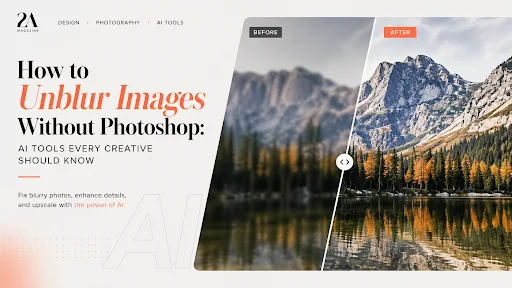
Blurry images are one of the most frustrating problems for creatives. Whether it’s a slightly out-of-focus portrait, a low-resolution product photo, or a compressed image pulled from the web, once detail is lost, traditional editing tools can only do so much.
For years, fixing blur required advanced skills in Photoshop—sharpening layers, masking, and careful noise control. Even then, results were often limited. Today, however, AI has completely changed the game.
Why Images Become Blurry
Before jumping into solutions, it helps to understand the cause. Most blur comes from:
- Motion during capture
- Incorrect focus
- Low-resolution sources
- Compression artifacts
Traditional sharpening tools simply enhance edges, which can make images look harsher—but not truly clearer. What’s missing is actual detail.
How AI Unblur Technology Works
Modern AI tools don’t just sharpen—they reconstruct.
Using deep learning models trained on millions of images, AI can predict and restore missing details, textures, and edges. Instead of amplifying noise, it intelligently enhances clarity while preserving natural appearance.
This makes it possible to recover images that were once considered unusable.
A Faster Way to Unblur Photos
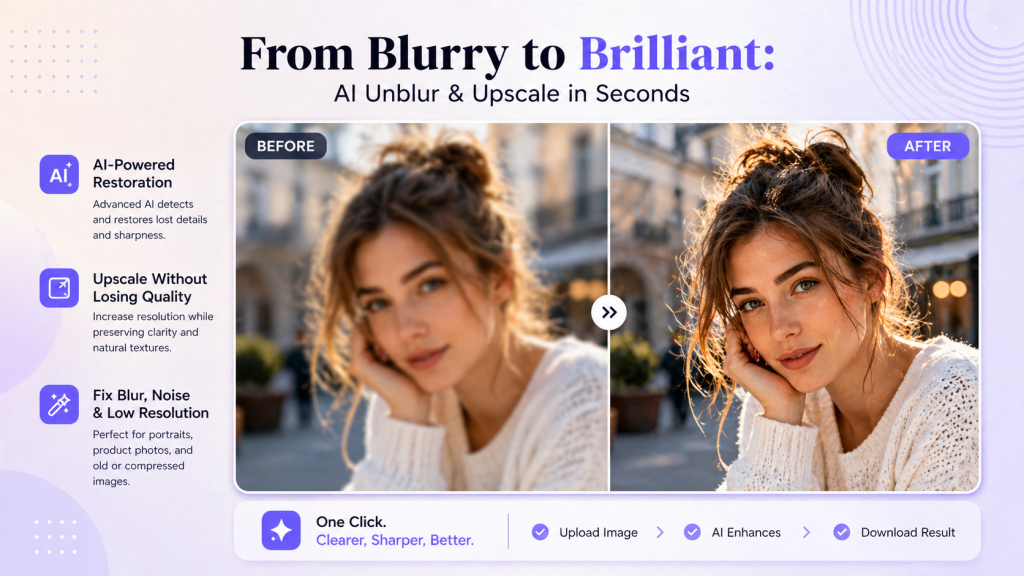
Today, creatives no longer need complex workflows to fix blurry images. With tools like unblur photo the process becomes incredibly simple:
- Upload your image
- Let the AI analyze and enhance it
- Download a sharper, clearer version
No manual masking, no guesswork—just clean results in seconds.
These tools are especially useful when working with tight deadlines or large batches of images.
Beyond Unblurring: Enhancing Overall Image Quality
Most AI unblur tools also include upscaling capabilities, allowing you to improve both sharpness and resolution at the same time.
For example, an AI image Upscaler can enlarge an image while preserving fine details, making it ideal for:
- Social media visuals
- eCommerce product images
- Print-ready assets
- Portfolio presentations
This combination of deblurring and upscaling is particularly powerful for creatives who need high-quality outputs from imperfect source material.
When Should You Use AI Instead of Photoshop?
AI tools are not here to replace Photoshop entirely—but they are often the better choice when:
- You need quick results
- The original image lacks detail
- You’re working with multiple images
- You want consistent quality without manual effort
Photoshop still excels in precision editing, but for restoring clarity, AI is simply faster and more effective.
Final Thoughts
Blurry images no longer have to be discarded or painfully edited by hand. With AI-powered tools, creatives can restore clarity, improve resolution, and elevate their visuals in just a few clicks.
As AI continues to evolve, image enhancement is becoming less about technical skill—and more about creative intention. And that’s a shift every designer, marketer, and content creator can benefit from.