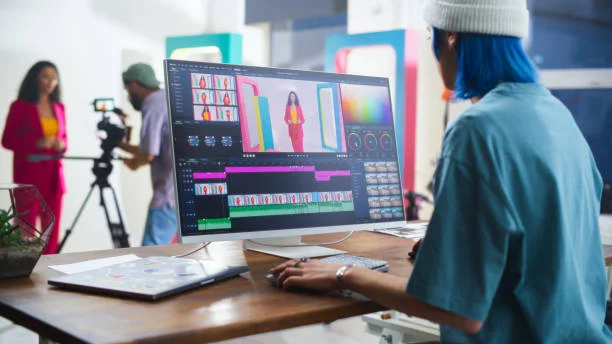
There was a time when “studio-level content” meant big cameras, lighting crews, editors, designers, and a serious budget.That gap is closing solo creators.
Today, solo creators are publishing videos that look polished, cinematic, and brand-ready. And many of them are doing it without a team.
I have tested many AI tools over the past year. Some are good for experiments. Some are good for short clips. Very few support a full workflow.
Loova is one of the few platforms that helps solo creators move from idea to finished, studio-quality content in one place.In this guide, I will break down how solo creators can realistically produce studio-level content using Loova, even with limited time and budget.
What “Studio-Level Content” Really Means Today
Studio-level no longer means Hollywood film production.
For solo creators, it usually means:
- Clean, cinematic visuals
- Smooth motion and stable framing
- Strong brand consistency
- Professional-looking thumbnails and graphics
- Content that feels intentional and polished
It is about perception.
If your video looks sharp, consistent, and well-designed, viewers assume high production value.
You do not need a warehouse studio. You need the right workflow.
The Real Challenges Solo Creators Face
Before we talk about tools, let’s be honest about the problems.
1. Limited Budget
Professional production costs add up:
- Cameras
- Lighting
- Editors
- Designers
- Motion graphics software
Most solo creators cannot invest like a media company.
2. Limited Time
You are:
- Writing scripts
- Filming
- Editing
- Posting
- Managing comments
Adding complex production on top of that can cause burnout.
3. Constant Content Demand
Short-form platforms reward consistency.
You cannot disappear for three weeks to polish one video.
You need quality and speed at the same time.
That is the gap AI tools try to fill.
How Loova Helps Solo Creators Reach Studio-Level Quality
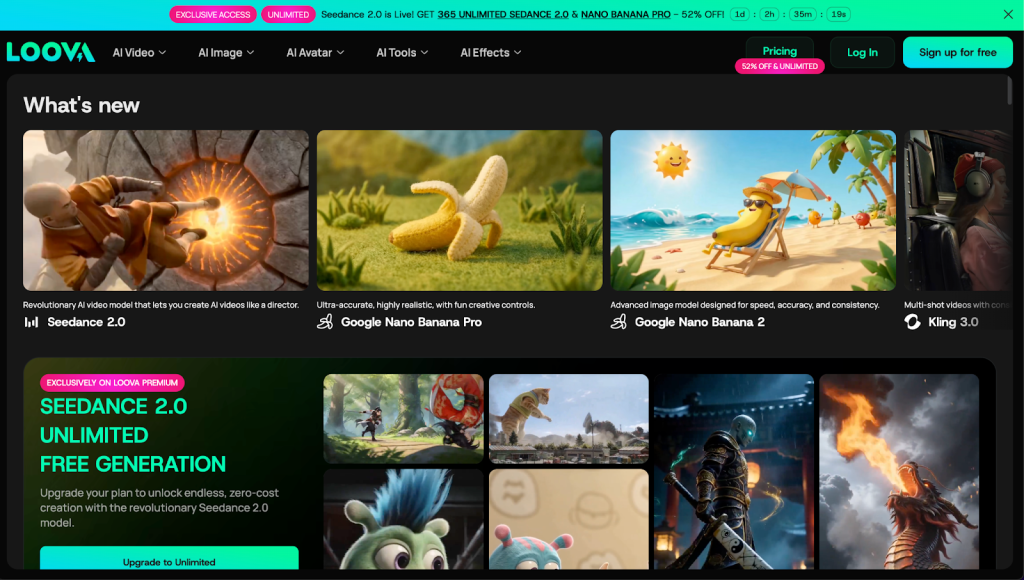
Loova is not just an AI video generator. It combines video, image creation, editing, and multiple AI models inside one platform.
That integration is what makes the difference.
Let’s break it down.
AI Video Generation That Replaces Expensive Shoots
This is where most of the production value comes from.
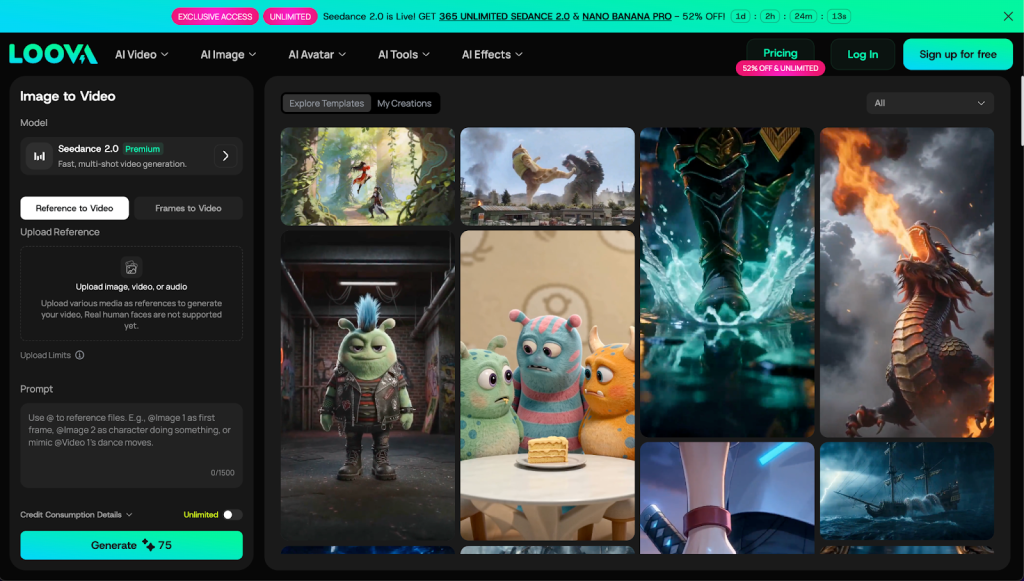
Text to Video for Fast Scene Creation
Sometimes I only have an idea.
Instead of booking a location or setting up lights, I describe the scene.
Loova generates a video draft based on that description.
This helps me:
- Visualize ideas fast
- Test different concepts
- Build cinematic scenes without filming
It does not replace real filmmaking for every project. But for digital content, it gets very close.
Image to Video for Cinematic Motion
This is one of the most powerful features.
If I design a product visual or character image, I can animate it.
That means:
- Static thumbnails become motion scenes
- Product shots turn into short ad clips
- Characters gain subtle movement
Motion adds production value immediately.
And I do not need After Effects to make it happen.
Reference-Based Video for Brand Consistency
Consistency separates amateur from professional.
With Loova, I can upload reference images and guide the AI to maintain:
- Character identity
- Color palette
- Visual style
If you are building a brand, this matters.
Studio-level content is not just about looking good at once. It is about looking consistent every time.
AI Image Creation for High-End Visual Assets
Studio production includes more than video.
You also need:
- Thumbnails
- Social posts
- Ad creatives
- Product visuals
Loova includes AI image generation inside the same platform.
Product and Ad Visuals
I can generate:
- Clean product shots
- Stylized promotional visuals
- Background scenes for ads
This replaces the need for physical product photography in many digital cases.
Branded Graphics and Campaign Assets
If I run a campaign, I need variations.
Loova allows:
- Text-to-image generation
- Image-to-image transformation
I can create multiple visual styles quickly.
This supports A/B testing without hiring extra designers.
Built-In Editing Tools That Save Hours
Switching between tools kills productivity.
One major advantage of Loova is built-in editing.
Inside the platform I can:
- Remove unwanted objects
- Change backgrounds
- Adjust visual style
- Extend clips
If something looks slightly off, I fix it without restarting the entire project.
That efficiency feels small at first. Over weeks, it saves many hours.
Multi-Model AI System for Creative Flexibility
Different AI models produce different results.
Some are more cinematic. Some are more commercial. Some are more artistic.
Loova integrates multiple models including Seedance 2.0, VEO 3.1, Nano banana Pro etc.
This allows me to:
- Test different visual aesthetics
- Compare outputs
- Choose the style that matches my brand
That flexibility is powerful for solo creators experimenting with identity.
Instead of being locked into one AI style, I can adapt.
Step-by-Step: How I Produce Studio-Level Content with Loova
Here is a simple workflow.
Step 1: Define the Concept
I clarify:
- The message
- The tone
- The target audience
Clear direction improves AI results.
Step 2: Generate Base Video
I use:
- Text-to-video if I start from scratch
- Image-to-video if I have a design
- Reference-based generation for consistency
I generate short clips first.
Short segments maintain higher quality.
Step 3: Refine with Editing Tools
If I see:
- Minor visual drift
- Background issues
- Lighting imbalance
I fix it inside Loova.
I avoid restarting unless necessary.
Step 4: Create Supporting Visual Assets
Next I generate:
- Thumbnail concepts
- Social media visuals
- Promotional graphics
Keeping everything in one platform helps maintain visual consistency.
Step 5: Optimize for Platforms
Different platforms require different formats.
I adjust:
- Aspect ratio
- Clip length
- Visual focus
Now I have a full content package without hiring a production team.
Real-World Scenarios
Here is how different solo creators use this setup.
YouTube Creator Scaling Weekly Uploads
A solo YouTuber needs:
- Intro animations
- B-roll
- Thumbnails
Instead of filming everything manually, AI-generated visuals fill the gaps.
Upload frequency increases. Quality remains high.
E-Commerce Founder Running Ads
A founder needs product ads.
With Loova, they can:
- Generate product scenes
- Animate static visuals
- Create multiple ad variations
Testing becomes cheaper and faster.
Personal Brand Building Cinematic Shorts
Short-form creators compete for attention.
Adding:
- Motion graphics
- Clean lighting
- Stable characters
raises perceived production value.
Even if the creator works alone.
Loova vs Traditional Studio Production
Let’s compare honestly.
Cost
Traditional studio production requires equipment and people.
Loova requires software access and creative direction.
The cost difference is significant.
Time
Studio shoots take planning and setup.
AI generation is immediate.
You can test multiple ideas in one afternoon.
Flexibility
Traditional shoots lock you into what you filmed.
AI allows new variations without reshooting.
That flexibility supports creative experimentation.
Limitations
AI still has limits:
- Complex storytelling may need manual editing
- Ultra-high-end cinema projects require advanced tools
But for digital platforms and marketing content, AI is closing the gap fast.
Tips to Make AI Content Look Truly Professional
Tools help. Strategy matters more.
Here is what improves results.
- Keep lighting consistent
- Use controlled camera motion
- Avoid overcrowded scenes
- Maintain brand colors
- Focus on clear storytelling
AI is powerful. Clear direction makes it look professional.
Who Should Use This Approach
This workflow is ideal for:
- Solo YouTubers
- Freelance marketers
- Indie founders
- Social media creators
- Online educators
If you publish regularly and care about quality, this setup makes sense.
If you want to explore how this works in practice, you can check Loova and try.
FAQs
Can solo creators really produce studio-quality content?
Yes. With AI tools and strong workflow structure, solo creators can produce polished and consistent content without a full team.
What tools do solo creators use for high-quality videos?
Many use AI video generators, image creation tools, and integrated editing platforms like Loova to streamline production.
Is AI video good enough for professional marketing?
For digital ads, social content, and online campaigns, AI video quality is often strong enough when guided properly.
Does Loova replace video editors?
It reduces the need for external editing tools for many projects. Complex productions may still require advanced software.
How do you make AI videos look cinematic?
Control lighting, limit motion complexity, maintain consistent framing, and refine outputs instead of relying on one generation.
Is AI-generated content suitable for brands?
Yes, if it maintains visual consistency and aligns with brand guidelines.
Keep learning—explore more articles filled with valuable insights and ideas at 2A Magazine.