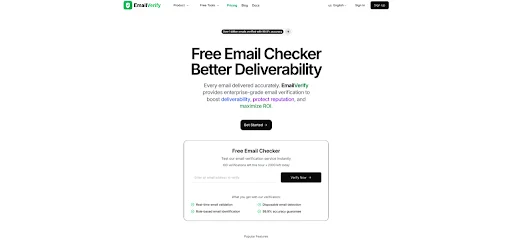
If you’ve ever uploaded a CSV to an email platform and felt that little hesitation—“I hope this list is okay”—you already understand the problem List Cleaning. Most lists are a blend of real people, outdated contacts, and addresses that were never going to respond in the first place. When I ran my own list through an Email Checker, the most useful discovery wasn’t how many were invalid—it was how many were uncertain, and how that uncertainty changes what a “good campaign” looks like.
The PAS Pattern in Real Life
Problem
You want to reach people, but your list contains landmines: bounces, spam traps, disposable inboxes, and role accounts.
Agitation
Those landmines don’t just waste sends. Over time, they distort performance:
- You blame copy when deliverability was the real culprit.
- You increase volume to compensate, making things worse.
- You lose confidence in the data—and start guessing.
Solution
Clean the list before you send, and segment the results so you can treat “risky” differently from “invalid.”
What I Look For in a Bulk-First Verification Workflow
Bulk verification should do more than label addresses. It should help you answer:
- What can I safely send to now?
- What should I quarantine or confirm?
- Which lead sources are poisoning the list?
EmailVerify highlights bulk uploads (CSV/Excel) with progress tracking and reporting. In practice, that’s what you want: visibility and actionable categories List Cleaning.
A Realistic Taxonomy: Valid, Invalid, Risky
The “risky” bucket is where credibility is won. Because it admits the truth:
- Some domains accept mail for any mailbox (catch-all)
- Some providers hide recipient status
- Some addresses are technically deliverable but behaviorally low value
What Risk Tags Help You Do
- Separate disposable from genuine
- Separate role accounts from personal inboxes
- Separate “probably deliverable” from “unknown”
The Goal Isn’t Zero Risk
The goal is controlled risk—so you’re not paying for uncertainty blindly.
Comparison Table: Why EmailVerify’s Feature Mix Matters
| Feature / Check | What It Helps With | Why It Matters in Bulk | What Still Needs Judgment |
| Syntax validation | Catch typos early | Removes obvious junk fast | Doesn’t prove deliverability |
| DNS + domain existence | Remove dead domains | Cuts guaranteed bounces | Temporary DNS issues exist |
| MX record verification | Confirm mail routing exists | Prevents “can’t receive mail” | Some setups are unusual |
| Disposable detection | Reduce low-intent signups | Protects list quality | Some disposable users are real |
| Role account filtering | Segment shared inboxes | Better targeting and compliance | B2B use cases can be valid |
| Catch-all detection | Flag uncertainty | Prevents false confidence | Catch-all isn’t always bad |
| Optional SMTP signal | Adds mailbox-level confidence | Useful at scale when tuned | Provider behavior varies |
How I Actually Use the Output (A Campaign-Safe Playbook)
Here’s a playbook that avoids “overly marketing” thinking and focuses on operational sanity.
Step 1: Clean the Obvious
- Remove invalid emails (syntax/domain/MX failures)
- Remove clearly disposable emails (depending on your use case)
Step 2: Segment Risky
Create segments:
- Catch-all
- Role-based
- Unknown mailbox status
- High-risk patterns (if flagged)
Then treat them differently:
- Catch-all: send only to high-intent messages or run confirmation first
- Role-based: use B2B-tailored messaging and lower frequency
- Unknown: avoid broad blasts; test small batches
Step 3: Learn From Sources
If one acquisition source generates disproportionate risk List Cleaning, that’s not a verification issue—that’s a lead-quality issue. Verification just makes it visible.
What “Good” Looks Like After Cleaning
This is the “before/after bridge” that feels real in a team.
Before
- You send to everyone
- You judge campaigns by opens/clicks alone
- You discover list problems only after deliverability drops
After
- You send differently to different categories
- You interpret results with better context
- You preserve sender reputation by reducing preventable bounces
Limitations (The Honest Part That Builds Trust)
Any email verification workflow has limits:
- Some servers behave in ways that reduce mailbox-level certainty.
- Catch-all domains will always be ambiguous.
- Bulk verification results can depend on timeouts and transient conditions.
- Sometimes you need multiple passes—especially when lists are large and heterogeneous.
How to Handle Those Limits Without Overcomplicating
- Keep a “quarantine” segment.
- Use confirmation for high-value flows.
- Run periodic re-verification for old lists.
- Use smaller test sends for uncertain segments.

Where EmailVerify Feels Like a Sensible Fit
From what I saw in Email Verifier:
- A free daily credit allowance encourages frequent hygiene rather than occasional “panic cleaning.”
- Bulk verification supports operational workflows (imports, migrations, vendor lists).
- The API option exists if you want to enforce quality at the point of capture.
That combination matters because list hygiene isn’t a one-time project. It’s a system.
Closing Thought
The most persuasive list cleaning isn’t the one that promises perfection. It’s the one that helps you see what you have, decide what to do with uncertainty, and gradually train your acquisition channels to produce better inputs. When you treat verification as a routine step—not a dramatic fix—you stop gambling with deliverability and start managing it.
Step into more insights that help you grow, learn, and stay competitive at 2A Magazine.